
Building a Tax-Season-Ready IT Plan
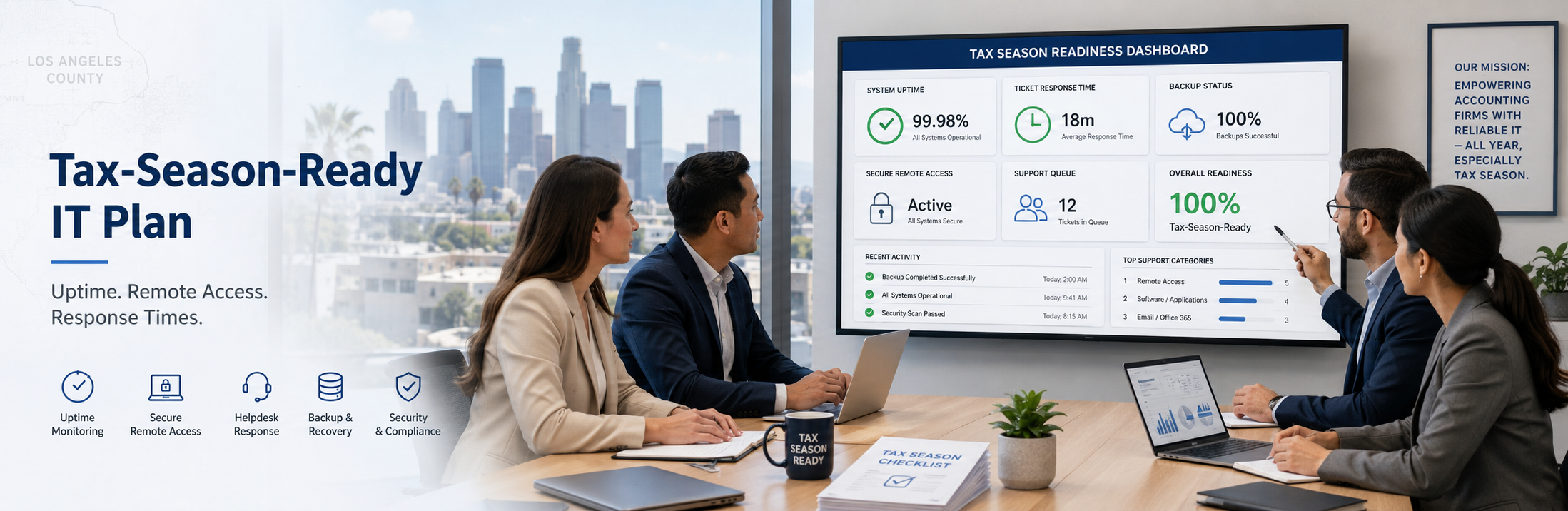
If you’re an accounting firm in Los Angeles County, “tax-season-ready” IT means you can hit deadline weeks with near-zero downtime, secure remote access that doesn’t break, and fast support response when something goes wrong.
As a practical target for a 20–100 person firm, aim for:
- Uptime: 99.9%+ for core systems (email, file access, tax apps) during deadline periods (that’s < 45 minutes/month of unplanned downtime).
- Response time: 15 minutes to 1 hour for “can’t work” issues during business hours (and a clearly-defined escalation path after hours).
- Backup recovery: ability to restore critical files/systems with an RPO of 4–24 hours and an RTO of 4–24 hours, depending on the system (faster for the most critical workflows).
This article helps evaluate your current IT (or your MSP) before the next deadline crunch.
The Tax-Season-Ready IT Framework (7 Parts)
Think of this like a readiness checklist you can hold your internal team or your MSP accountable to.
1) Define “critical workflows” and lock the scope (so you don’t boil the ocean)
Tax season exposes the truth: not every system is equally important.
List your top 5–10 “can’t-stop” workflows, for example:
- Tax prep + e-file workflow (including the tax software itself, add-ons, licensing, updates)
- Client document intake / portal / secure file sharing
- Email + calendaring
- Document management + scanning
- Remote access for partners/managers
- Billing/time tracking
- QuickBooks / payroll tools (if relevant)
Deliverable you want: a 1-page “Critical Systems Map” that names:
- Apps, servers/cloud services, logins, dependencies, who owns what
- Which workflows must be up within 4 hours, 24 hours, or 72 hours
Why it matters: you can’t demand “instant recovery” for everything—so you define the priorities before you’re under pressure.
2) Stabilize your endpoints (because tax season is when laptops fail)
A shocking amount of “tax season emergencies” are really:
- failing SSDs
- machines with low storage
- broken updates
- slow laptops that make staff “work around” security
Minimum endpoint standards (buyer-friendly):
- Business-grade laptops/desktops (not consumer-grade), under a planned refresh cycle
- Disk encryption on all devices
- MFA on email and all remote access
- Managed patching + health monitoring (storage, CPU, drive health)
- Standardized device setup so you’re not supporting 50 “unique snowflakes”
Ask your provider: “Show us a report of device health (patch status, disk encryption, EDR health, aging hardware) for our environment.”
If they can’t show it, you’re not being proactively managed.
3) Make remote access boring (secure + consistent, not heroic)
Remote access shouldn’t depend on one person “knowing the trick.”
Your tax-season-ready remote access should include:
- MFA everywhere (email, VPN/remote desktop, admin tools)
- Role-based access (partners vs staff; least privilege)
- Conditional access (block logins from risky locations/devices)
- Secure password manager policies (no shared spreadsheets)
Success test: pick 3 staff members and have them:
- log in from home
- access the client file system / DMS
- open the tax apps they need
- print or export to the right location
If this isn’t smooth before deadline week, it will break during deadline week.
4) Protect the #1 tax-season threat: email compromise and spoofing
For accounting firms, the highest-probability incident during deadlines is often:
- compromised email
- a fake wire/invoice change request
- client spoofing that tricks staff
Minimum “tax-season-ready” email security stack:
- MFA + conditional access
- Advanced phishing protections
- DMARC/SPF/DKIM configured (reduces spoofing)
- Ongoing phishing awareness (short, consistent training beats once-a-year)
What you should ask: “How do you prevent a partner mailbox compromise and what happens in the first 60 minutes if it occurs?”
You’re listening for a clear incident process, not vibes.
5) Backups + recovery that match deadline reality (not “we have backups somewhere”)
The real question isn’t “Do we back up?” It’s:
“Can we restore what we need fast enough to hit deadlines?”
Your backup plan should cover:
- Servers (if any), cloud file platforms, and key SaaS data (as applicable)
- At least one immutable / protected backup layer (so ransomware can’t encrypt it)
- A documented restore process (who does what, in what order)
- A tested plan (not a theoretical one)
Tax-season-ready restore priorities example:
- Tier 1 (restore first): email access, identity/login systems, tax app access, client file access
- Tier 2: DMS, scanning/workflow tools, time/billing
- Tier 3: everything else
What to ask your MSP: “When did you last test a full restore for a client with a similar setup—and what was the restore time?”
If they can’t answer, you’re gambling.
6) Support response times and escalation rules (this is what you’re actually buying)
During tax season, your MSP is not just “IT support.” They’re your downtime insurance policy.
Set clear expectations:
- What counts as a Priority 1 issue (e.g., “multiple staff can’t work”)
- Target response time (15–60 minutes during business hours)
- Escalation path (Tier 1 → Tier 2 → senior engineer → after-hours)
- Who communicates updates and how often (every 30–60 minutes for P1)
Red flag: “Just email support@… and we’ll respond in order.”
Tax season needs triage and escalation, not a queue.
7) Freeze risky changes and schedule “readiness sprints” (small, planned work beats chaos)
Many tax-season outages come from:
- last-minute firewall changes
- untested application updates
- rushed migrations
- “quick fixes” that create new failures
A tax-season-ready plan includes:
- A change freeze window for high-risk systems near critical deadlines
- Weekly micro-maintenance windows (small patching, controlled updates)
- A “two-week readiness sprint” before peak weeks:
- endpoint health cleanup
- access checks
- backup verification
- phishing reminders
- test restores
This is how you stay stable without stopping progress.
Cost Expectations: What does “tax-season-ready IT” typically cost?
Costs vary by environment, but for 20–100 users, most firms should think in two buckets:
1) Ongoing managed IT (monthly)
- Often priced per user per month, depending on coverage (monitoring, helpdesk, security layers, backup, after-hours, etc.).
- Your range already aligns with a “managed” tier for many firms.
2) One-time readiness projects (one-time)
Common examples:
- Hardening remote access / MFA / conditional access rollout
- Backup + disaster recovery improvements (especially if adding immutable layers)
- Email security upgrades, SPF/DKIM/DMARC work
- Standardizing endpoints + replacing aging machines
- Documented incident response plan + tabletop test
Takeaway: If an MSP says they can make you tax-season-ready with no project work, ask exactly what they’re excluding. Readiness usually requires at least some cleanup and standardization.
Common Mistakes Accounting Firms Make Before Deadline Season
- They assume “no recent issues” means “we’re fine.”
Tax season creates different load and different failure modes.
- They don’t define priority systems.
So in a crisis, everyone argues about what to fix first.
- They have backups but no tested restore process.
Backups without restore testing are just expensive hope.
- They allow too many exceptions.
One partner refuses MFA, one laptop is “special,” one shared mailbox is unmanaged. These can become breach paths.
- They wait until deadline week to address performance complaints.
By then, you’re firefighting instead of fixing.
How to Choose a Provider for Tax-Season Reliability (What to Ask + Red Flags)
The 10 buyer questions to ask (copy/paste into your next MSP call)
- What’s your P1 response time target during business hours and what’s the escalation path?
- How do you prevent email compromise (MFA, conditional access, phishing protection)?
- What’s included in monitoring? Do you track device health, patching, and security tool status?
- How do you handle remote access security and user onboarding/offboarding?
- What backup strategy do you use (and do you offer immutable/protected backups)?
- When did you last test a restore and what were the results?
- Do you provide a written readiness plan before peak season?
- Who is our assigned technical owner (vCIO/technical lead) and how often do we review risks?
- What’s your onboarding process and timeline?
- What are the most common reasons accounting firms leave their MSP?
Red flags
- No clear SLA/response expectations
- They can’t show reports (patch compliance, EDR health, backup status)
- They treat security as “add-on later”
- Vague answers like “we’ll take care of it” instead of a documented process
Example scenario
Firm profile: 45-user CPA firm in Los Angeles with hybrid staff.
Problem: Last season they had repeated remote access issues, slow endpoints, and a near-miss phishing incident.
Readiness sprint (14 days):
- Standardized remote access + enforced MFA
- Cleaned endpoint health issues (storage, patching, EDR coverage)
- Verified backup integrity + ran a restore test for critical files
- Set priority support rules and escalation path for deadline weeks
Result: Fewer “can’t work” tickets during peak weeks and faster resolution when issues occurred.
Trust signals (why you should trust Fothion)
-
- 20+ years in IT supporting small-to-mid sized organizations
- 95% positive customer feedback/reviews
- Local support familiarity with LA business realities (deadlines, hybrid work, high client expectations)
Get a Tax-Season IT Readiness Assessment (30 Minutes)
If you’re unsure how exposed your accounting firm may be to downtime, access failures, or email-based fraud during deadlines, the fastest next step is identifying operational and cybersecurity vulnerabilities before peak weeks.
Book a 30-minute call with Fothion and we’ll:
- review downtime risk across your tax-season workflows
- identify remote access and authentication weak points
- assess backup, restore, and disaster recovery readiness
- evaluate email security and fraud risk controls
- outline practical steps to reduce deadline disruption
Book here: https://www.fothion.com/schedule-a-phone-call/
FAQs (with answers):
1) What does “tax-season-ready IT” actually mean?
It means your firm can operate through peak workload weeks with minimal downtime, secure remote access, and fast support response when something breaks—without risky last-minute changes.
2) What response time should we expect from an MSP during tax season?
For “can’t work” issues, many firms target 15–60 minutes during business hours, with a clearly defined escalation path.
3) What’s a realistic downtime target for an accounting firm?
A common goal is 99.9%+ uptime for core systems during peak season (email, file access, tax apps).
4) How much does it cost to become “tax-season-ready”?
Expect a combination of monthly managed IT plus one-time readiness projects (remote access hardening, backup improvements, email security, endpoint standardization).
5) What’s the #1 mistake firms make before deadlines?
They assume backups are enough—without testing restores and defining what must come back online first.
6) Can we be tax-season-ready if we’re hybrid/remote?
Yes, but only if remote access is standardized, MFA is enforced, and device health/security are managed—not left to individual preferences.
7) How quickly can we get ready if tax season is close?
Many firms can do meaningful improvement in 2–4 weeks, starting with endpoint health, remote access, backup verification, and support escalation rules.
8) What should we ask an MSP before signing?
Ask for response-time expectations, reporting, backup/restore proof, security stack details, onboarding steps, and who owns your account technically.
Leave a Comment