
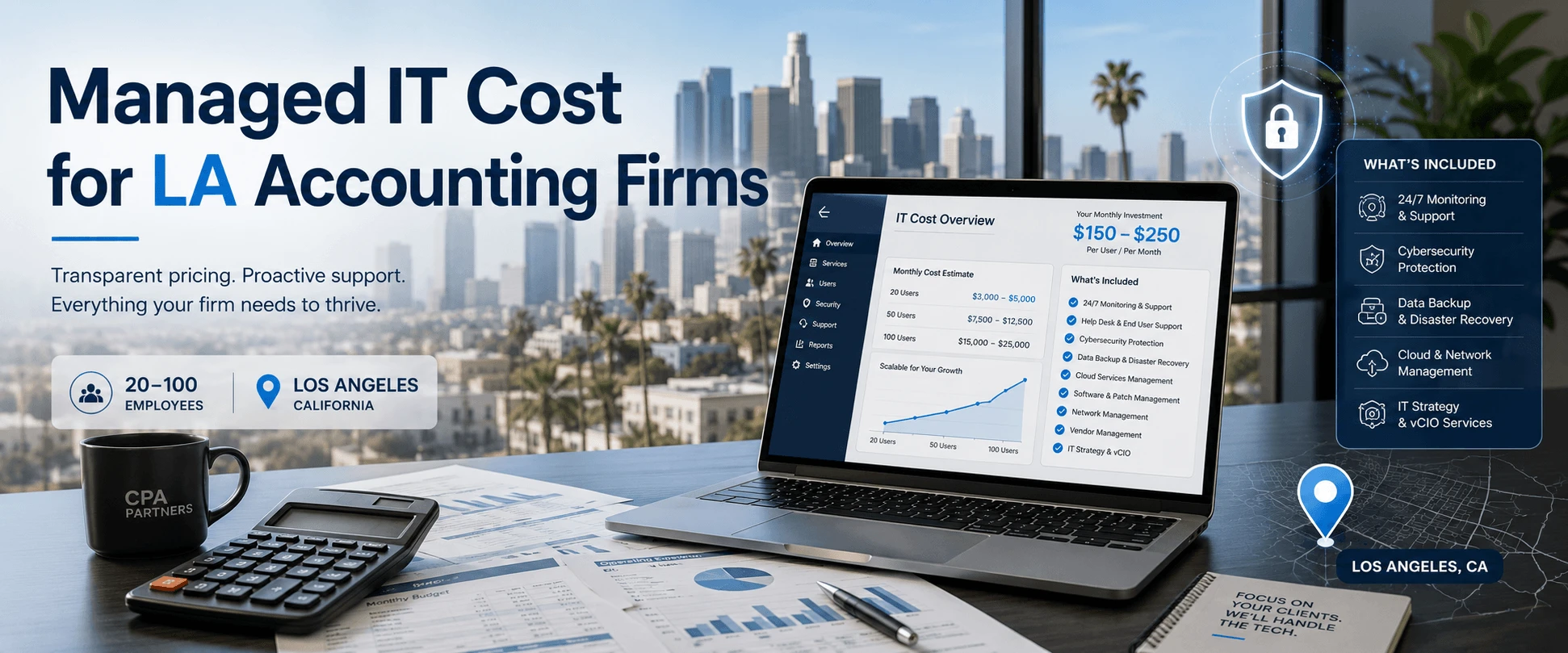
For a 20–100 employee accounting firm in Los Angeles, managed IT pricing is usually billed per user, per month. A practical baseline range for many firms is $125–$175 per user/month, which means:
- 20 users: about $2,500–$3,500/month
- 50 users: about $6,250–$8,750/month
- 100 users: about $12,500–$17,500/month
Those numbers typically cover ongoing support and proactive maintenance, but your final budget depends on five things: security depth, backup + recovery expectations, after-hours coverage, onsite support needs, and how standardized your environment is.
This guide helps you budget confidently and compare MSP proposals without getting surprised by hidden “project” fees.
What’s Included in Managed IT (and What’s Usually Extra)
When you see “$X per user per month,” you’re buying a bundle. The problem is that bundles vary.
Common inclusions in a solid baseline plan
- Helpdesk support for covered users
- Monitoring + patching for endpoints (and servers if applicable)
- Core Microsoft 365 administration (user setup, baseline policies)
- Endpoint protection (baseline)
- Vendor coordination (internet, printers, common app troubleshooting)
- Monthly reporting (tickets, patch status, and some security reporting)
Common items that are extra (or only in higher tiers)
- Microsoft 365 migrations and cleanups
- Advanced email security / anti-impersonation controls
- Advanced endpoint detection and response (EDR/MDR)
- Disaster recovery solutions with faster recovery targets
- After-hours and weekend support coverage
- Onsite support beyond a basic allowance
- Major remediation projects (post-incident cleanup, infrastructure modernization)
Your move: ask each MSP for a one-page “included vs. extra” scope summary before you sign.
A Simple 3-Tier Pricing Framework (So Quotes Make Sense)
Many accounting firms naturally fall into one of these tiers:
Tier 1: Managed IT Basics
- Best for: stable environments with low change volume
- Typical scope: helpdesk + monitoring + patching + baseline endpoint protection + basic reporting
Tier 2: Managed IT + Security Baseline (most CPA firms should start here)
- Best for: firms that handle sensitive client and tax data
- Often includes: stronger email controls, MFA enforcement support, improved endpoint protection, and more consistent reporting
- Planning range often lands around: $125–$175/user/month
Tier 3: “Deadline Resilience” (higher urgency, higher expectations)
- Best for: firms that cannot tolerate downtime in peak periods
- Often includes: tighter SLAs, stronger security monitoring, more robust recovery targets, and more frequent testing and reviews
The important point isn’t the tier name. It’s whether the MSP can prove the protections you’re paying for.
The 5 Cost Drivers That Change Your Monthly Price
- Security requirements
If your firm has frequent phishing attempts, high-value clients, or strong cyber insurance expectations, you typically need more security depth.
- Environment maturity (clean vs. chaotic)
Standardized endpoints, documented systems, and a clean Microsoft 365 tenant cost less to support than a “custom everything” environment.
- Onsite support needs
In LA, many firms want onsite availability for network issues, hardware swaps, and “this has to be fixed today” problems.
- Backup + recovery expectations
The question isn’t “Do we have backups?” It’s: How fast can we recover?
Faster recovery targets typically require stronger tooling and more process.
- After-hours coverage
If you need coverage beyond business hours during peak season, that often changes pricing.
What Managed IT Might Cost by Accounting Firm Size (Quick Math)
Using the $125–$175/user/month planning range:
- 25 users: $3,125–$4,375/month
- 40 users: $5,000–$7,000/month
- 60 users: $7,500–$10,500/month
- 80 users: $10,000–$14,000/month
One-time projects (onboarding, migrations, hardware refreshes) are typically separate, so always ask for a first-90-days plan.
How to Compare MSP Quotes (So You Don’t Overpay or Underbuy)
Ask each provider to answer these in writing:
- What is your first response SLA, and how do you report it monthly?
- Is support truly “unlimited,” and what’s excluded?
- What security is included by default (MFA support, email controls, endpoint protection)?
- Are backups included? What is the restore testing cadence?
- Is onsite support included? If not, what is the rate and response window?
- What counts as “project work,” and what is your rate card?
- What reporting do we get each month?
Buyer Rule: if one quote is cheaper, require them to state what they removed (security, backups, after-hours, reporting, onsite).
Common Pricing Mistakes That Make IT More Expensive Long-Term
- Buying helpdesk-only and calling it managed IT
Reactive support is cheaper until it’s not.
- Skipping restore testing
You discover slow or failed restores at the worst possible time.
- Treating security as optional
Email compromise and ransomware aren’t theoretical risks for firms handling sensitive data.
- No standardization
Every custom device and “special setup” becomes a permanent cost tax.
- Switching providers during peak deadlines
The disruption cost can exceed any monthly savings.
Trust Signals to Look For (Before You Believe a Quote)
A credible provider should be able to show:
- SLA reporting samples
- monthly reporting samples
- onboarding plan deliverables
- backup restore testing approach
- references or case studies
Fothion brings 20+ years in IT with sub-1-hour response times and 95% positive customer feedback.
Get a Managed IT Cost & Risk Assessment for Your Accounting Firm (30 Minutes)
If you want a realistic budget (and don’t want surprise project bills), the fastest next step is a short assessment of your environment, security needs, and recovery expectations.
Book a 30-minute call with Fothion and we’ll:
- estimate a realistic monthly cost range based on users and support needs
- identify security gaps that raise breach and insurance risk
- assess backup protections and recovery readiness
- evaluate remote access security for partners and staff
- outline practical ways to reduce downtime and emergency spend
Book here: https://fothion.com/schedule-a-phone-call/
FAQs (with answers):
1.What’s the typical managed IT cost for accounting firms in LA?
Many firms plan around $125–$175/user/month for a strong baseline, increasing with 24/7, stronger security monitoring, or faster recovery targets.
2.What should be included in managed IT pricing?
Helpdesk, monitoring/patching, baseline security, Microsoft 365 admin support, and reporting. Backups and advanced security vary—confirm in writing.
3.What costs are usually extra?
Onboarding, migrations, hardware refreshes, and larger projects. Ask for a rate card and a definition of “project work.”
4.How do I compare MSP quotes fairly?
Normalize SLA, after-hours, onsite, included security tools, backup testing cadence, and reporting.
5.What’s the biggest pricing red flag?
“All-inclusive” claims with no written SLA, no reporting sample, and no restore testing details.