

6 Free Cybersecurity Improvements You Can Make Today
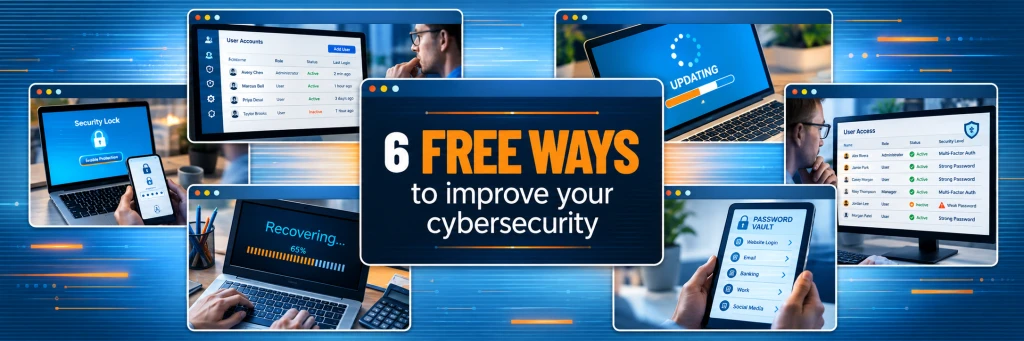
Cybersecurity does not always begin with buying another product. Some of the most useful improvements come from tightening settings, removing access you no longer need, and making better use of tools you already have.
If you have 10 to 100 employees and no dedicated security person, start here. These six steps can improve your basic cyber hygiene without adding another security subscription. They can also help companies looking for small business IT support in Los Angeles identify where their current IT environment needs more attention.
Quick Answers
What free cybersecurity improvements can a small business make right away?
A small business can make six immediate cybersecurity improvements. Enable multi-factor authentication, remove unused accounts, reduce unnecessary administrator privileges, turn on automatic updates, use a password manager, and test your backups. These steps address common security gaps using features you may already have.
Is multi-factor authentication really free?
MFA is available at no additional cost in many Microsoft 365 and Google Workspace configurations. Microsoft provides Security Defaults for Microsoft 365 and Microsoft Entra ID Free tenants, while Google Workspace supports 2-Step Verification. Your exact options depend on your subscription and configuration, but many businesses can strengthen sign-in security without purchasing a separate MFA product.
What Free Cybersecurity Improvements Should a Small Business Start With?
If time and budget are limited, focus first on identity, access, updates, passwords, and recovery. These controls address everyday weaknesses that attackers often take advantage of and help create a stronger foundation before you invest in more advanced cybersecurity tools.
1. Turn on multi-factor authentication
MFA requires another form of verification in addition to a password. If a password is stolen, the attacker still has another barrier to get through.
If you use Microsoft 365 Security Defaults, an administrator can review the setting in the Microsoft Entra admin center. Go to Entra ID > Overview > Properties > Manage security defaults. Google Workspace administrators can manage 2-Step Verification under Security > Authentication > 2-Step Verification.
This week, start with email, administrator accounts, banking, payroll, cloud storage, and remote-access systems.
2. Remove accounts nobody uses
Unused accounts are easy to overlook, especially after an employee leaves or a contractor or vendor relationship ends.
Open your Microsoft 365 admin center or Google Workspace Admin console and review your user list. Ask: Does this person still need an account? Does the account still serve a business purpose? Does it have more access than necessary?
Disable or remove anything that should no longer be active.
3. Stop giving everyone administrator access
Administrator access gives a user much broader control over a device or application than a standard account. That extra control can become a bigger security risk if the account is compromised.
Review who currently has elevated access. If someone does not need administrative privileges for their daily job, move them to a standard account.
Do the same inside critical business applications. The person who occasionally updates billing information does not necessarily need complete system control.
4. Turn on automatic updates
Updates often include security fixes for known vulnerabilities.
On Windows 11, employees can check their update status under Start > Settings > Windows Update. Windows 11 also downloads and installs regular updates automatically, but businesses should still confirm devices are current and are not being left paused or unmanaged.
This week, check Windows or macOS, browsers, Microsoft Office, mobile devices, antivirus software, and your core business applications.
5. Start using a password manager
Unique passwords are much safer than reusing one password across several accounts, but expecting employees to memorize dozens of complex passwords is unrealistic.
A password manager can generate and securely store unique credentials.
This week, choose an approved password manager, identify employees who still reuse passwords, and begin moving critical accounts first.
Free options exist, although business features such as centralized administration, secure sharing, reporting, and account recovery may require a paid plan.
6. Confirm your backups actually work
A backup is useful only if you can restore from it.
Do not stop at seeing a green status indicator.
Check when your last successful backup completed. Then test a restore of a file or small data set. Confirm who is responsible for recovery and how long it would take to restore critical systems.
A five-minute restore test can tell you much more than assuming your backup is working.
What Does This Look Like for a Los Angeles Small Business?
Consider a 35-person professional services company in Los Angeles using Microsoft 365.
During an account review, the owner discovers that many employees are still relying on passwords alone.
Their administrator enables the appropriate Microsoft 365 MFA controls, employees register their authentication methods, and the company verifies enrollment across the team.
By the end of the afternoon, one of the most common account-security gaps has been significantly reduced.
No new cybersecurity product was required.
The biggest requirement was knowing where to look and making the change consistently.
DIY Security Basics vs. Managed Cybersecurity
Basic security improvements are a good starting point, but they are not the same as ongoing cybersecurity management.
| Area | DIY Security Basics | Managed Cybersecurity |
|---|---|---|
| Coverage | Core settings and simple safeguards | Users, endpoints, networks, cloud, email, backups, and security controls |
| Monitoring | Periodic manual checks | Ongoing monitoring and review |
| Cost model | Mostly staff time and existing tools | Recurring managed-service investment |
| Response time | Depends on who notices the issue | Defined support and response process |
| Responsibility | Owner, office manager, or internal IT | Dedicated IT and security partner |
When Free Isn’t Enough
Free cybersecurity improvements can close important gaps, but they do not provide continuous monitoring, incident response, security strategy, or centralized management.
As your company grows, you may have more users, devices, cloud applications, remote access, vendors, and now AI tools entering the business.
That is where outsourced IT support in Los Angeles can provide more structure.
Managed cybersecurity can add ongoing monitoring, endpoint management, access reviews, email protection, backup oversight, and faster response when something changes.
AI can help analyze patterns and prioritize information. But AI-assisted monitoring should support trained people and established security processes, not replace them.
The goal is not to buy more technology for the sake of it.
It is to know when your business has moved beyond what occasional manual checks can reasonably manage.
Key Takeaways
- Start with MFA if you have limited time.
- Remove accounts that no longer serve a purpose.
- Limit administrator access.
- Keep devices and applications updated.
- Use unique passwords through an approved password manager.
- Test backups instead of assuming they work.
- Know when your growing environment requires ongoing IT and cybersecurity management.
AI Digest: TL;DR
Small businesses can improve cybersecurity without immediately buying new tools. Start by enabling MFA, removing unused accounts, limiting administrator rights, keeping software updated, using a password manager, and testing backups. These free cybersecurity improvements create a stronger baseline. As a business grows, it may eventually need managed monitoring, endpoint oversight, incident response, and structured IT support.
Take the Next Step
How healthy is your current IT environment?
Fothion can help you review user accounts, MFA, administrator access, updates, backups, endpoints, and other basic security controls. We can then identify what is already working and where gaps remain.
If you want a practical starting point, schedule a free consultation and technology health check.
Or call 310-598-7585.
Frequently Asked Questions
Is MFA free in Microsoft 365?
Microsoft Security Defaults can provide MFA protection for Microsoft 365 and Microsoft Entra ID Free environments without a separate MFA product. More advanced Conditional Access controls may require additional licensing.
What should I do first if I have limited time?
If you have limited time, start with MFA on email and administrator accounts. Then remove inactive accounts and unnecessary administrator access before reviewing updates, passwords, and backups.
Do password managers cost money?
Some password managers offer free plans. Business-oriented features such as centralized administration, secure team sharing, reporting, and managed recovery may require a paid subscription.
How often should I review user accounts?
Review accounts regularly and whenever an employee, contractor, or vendor joins, changes responsibilities, or leaves. Privileged accounts should receive more frequent attention.
When should a small business outsource IT security?
A small business should consider outsourcing IT security when its technology environment becomes difficult to monitor consistently. Outside support may also help when security tasks are delayed or no one internally owns IT and cybersecurity.
Related Resources
- Small business IT support in Los Angeles — Ongoing IT management, monitoring, and endpoint support when DIY cybersecurity becomes hard to maintain.
- Fothion cybersecurity and managed IT blog — More practical cybersecurity, managed IT, and business technology guidance.
- 10 Steps to Build a Cyber-Smart Team — See how employee training, communication, clear security guidelines, and everyday habits can help build a more cyber-smart team.
Leave a Comment